UNited_SHore_Picture.jpgMaxW1400MaxH1400.jpeg

Introducing The United Shore Printer Support Website! 

UNITED SHORE PRINTING GUIDELINES

COLOR:  

  • United Shore staff is requested to only print color on customer facing documents. Color printing is monitored per employee. 

DOUBLE SIDED (DUPLEX) PRINTING: 

  • United Shore staff is requested to print double sided documents when possible. 

PAPER:   

  • United Shore staff is requested to use inexpensive copy paper for internal use. 

  • Two  multi-fuction printers per floor have 11X17 ledger paper in trays 3&4. 

CONFIDENTIAL DOCUMENTS & AND DESTRUCTION:

  • To protect our clients' confidential information as well as compliance with various industry regulations, United Shore employees must use their HID badge when printing to ensure document security.  

  • All unwanted documents must be inserted in the document destructon box immediately. 

PRINTER PROBLEM OR LOW TONER/PAPER:   

  • Please contact Jane Doe, United Shore Facilities Manager @ ext 34532 if a machine is inoperable or needs a replacement of toner or paper.

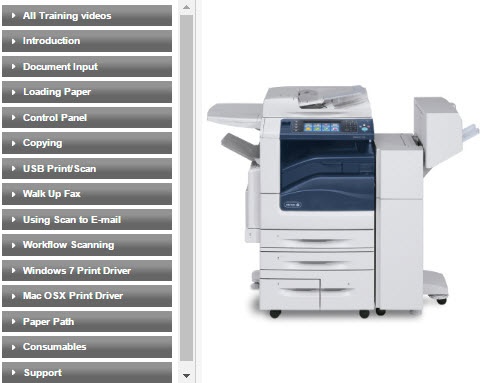
Xerox 7970 Color MFP

(located on United Shore  1st & 3rd floor - Accounting & Sales) 

PIcture_of_xerox_machine_-_delete.jpg

Green Office Partner SERVICE F.A.Q.

Q: How do I get more training? 

A:  call our dedicated United Shore support team at 877-467-5999 or email support@greenofficepartner.com.  

Q: What is your response time? 

A: 4 hours on site. However, we have a emergency color multi-function printer located on site in the IT storage room. The machine is on a movable table so call John Doe, United Shore IT if the emergency machine need to be set up. 

Q:  Do you offer proactive service? 

A: Yes!  Green Office Partner will be on-site to perform a proactive check on your machines on the first Wednesday or every month. 

  • January 7
  • February 1
  • March 1
  • April 5
  • May 7
  • June 7
  • July 5
  • August 2 
  • September 6 
  • October 4
  • November 1 
  • December 6

Typical Equipment Problems & Solutions: 

Paper Jams – Cause: Wrong paper size, improper paper loading or worn rollers. 

Lines on Paper - Cause: Foreign substances on the scanner glass or mirrors; Drum, developer or fuser needs to be replaced.  

Cartridge or Toner Issue – Cause:  If they are low or empty, simple replacement should repair the issue. If it is malfunctioning, it is a defective cartridge or the wrong cartridge.

Wrinkled Pages and extra blank page:   Cause:  worn out feed and exit rollers that cause sticking or jamming. Moisture, caused by humidity, in the fuser assemblies can also lead to wrinkled pages.

Copies are Too Light or Too Dark: Cause: Someone may have inadvertently altered the settings, making subsequent images copied too light or too dark. These setting needs to be reset.  Also, the drum or toner may need to be replaced.  
Spots on the Page:  Cause: Smudges or debris on the copy glass. This is solved by properly cleaning off the glass with Windex. A more random array of spots repeated throughout the document could be a defect in the drum. Replacing drums should fix the issue.

Typical Network Related Problems and Solutions:

Machine can copy but not print– Cause:  This is a network issue to be forwarded to your IT help desk; most likely related to a Print Driver or change in IP address.

Scan To Email/Scan To Folder- Scans not being delivered. Cause: There has been a change to the network settings.

Print jobs stuck in the queue. Cause: Print jobs sent from corrupted file or driver

Print jobs from specific software print clean, while prints from other software print poorly. Cause: Corrupted software program. note the machine asset #.  

United Shore Printing Guidelines

COLOR:

  • United Shore staff is requested to only print color on customer facing documents. Color printing is monitored per employee.

DOUBLE SIDED (DUPLEX) PRINTING:

  • United Shore staff is requested to print double sided documents when possible.

PAPER

  • United Shore staff is requested to use inexpensive copy paper for internal use.

  • Two  multi-fuction printers per floor have 11X17 ledger paper in trays 3&4.

CONFIDENTIAL DOCUMENTS & AND DESTRUCTION:

  • To protect our clients' confidential information as well as compliance with various industry regulations, United Shore employees must use their HID badge when printing to ensure document security.

  • All unwanted documents must be inserted in the document destructon box immediately.

PRINTER PROBLEM OR LOW TONER/PAPER:

  • Please contact Jane Doe, United Shore Facilities Manager @ ext 34532 if a machine is inoperable or needs a replacement of toner or paper.

ON-GOING PRINTER SUPPORT & TRAINING 

  1. Watch Product Videos. 
  2. Download Concise & Easy to Read User Guides. 
  3. Download Drivers for Windows and Mac in compliance with United Shore's IT standards.  
  4. Learn the top 10 features of the machines. 
  5. Understand the Green Office Partner/Xerox Service Offering (FAQ)  
  6. Submit a maintenance, supply or recycling box request. 

My goal is to be United Shore's consistent support contact to resolve issues quickly so you can stay focused on your core mission... "to provide unparalleled service, great products and tools, and above all, a unique company culture centered on relationships—not transactions."                

               - Iris Nieves, Customer Support Representative, Green Office Partner - United Shore Team Lead


iRIS_nIEVES.jpg


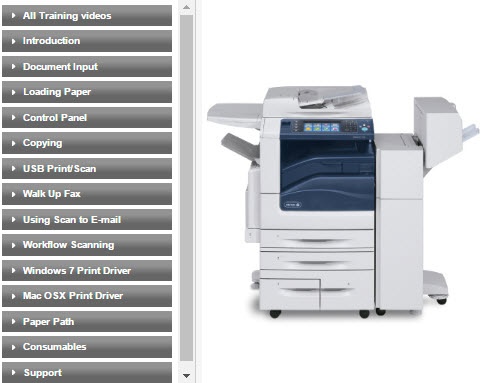
Xerox 7855 Color MFP

(located on United Shore 1st & 2nd floor - Main Copy Room & HR) 

PIcture_of_xerox_machine_-_delete-1.jpg

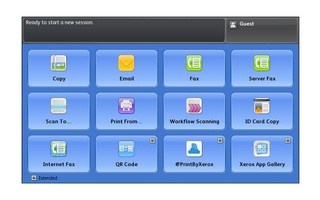
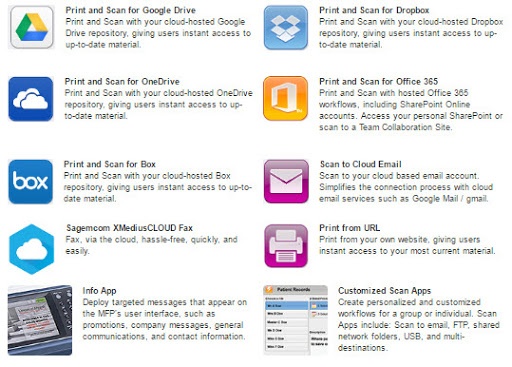
Most Popular Features and Apps!

Click here to watch an interactive demo of the Xerox apps. 

On-Going Printer Support and Training

  • Watch Product Videos.
  • Download Concise & Easy to Read User Guides.
  • Download Drivers for Windows and Mac in compliance with United Shore's IT standards.
  • Learn the top 10 features of the machines.
  • Understand the Green Office Partner/Xerox Service Offering (FAQ)
  • Submit a maintenance, supply or recycling box request.

Your Printers

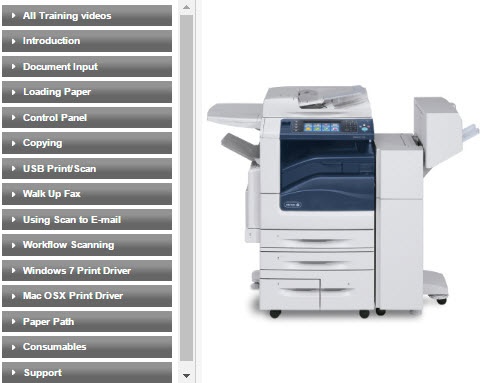
Xerox 7970 Color MFP

(located on United Shore 1st & 3rd floor - Accounting & Sales)

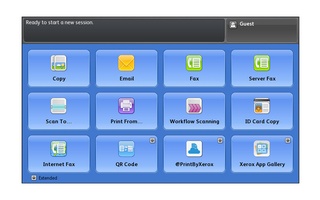
Most Popular Features and Apps

Click here to watch an interactive demo of the Xerox apps. 

Green Office Partner Service FAQ

iRIS_nIEVES.jpg

My goal is to be United Shore's consistent support contact to resolve issues quickly so you can stay focused on your core mission... "to provide unparalleled service, great products and tools, and above all, a unique company culture centered on relationships—not transactions."

- Iris Nieves, Customer Support Representative, Green Office Partner - United Shore Team Lead

Why is the sky blue and the grass green?

Security is everyone's concern!

Watch the following video about how old printers can get hacked into.

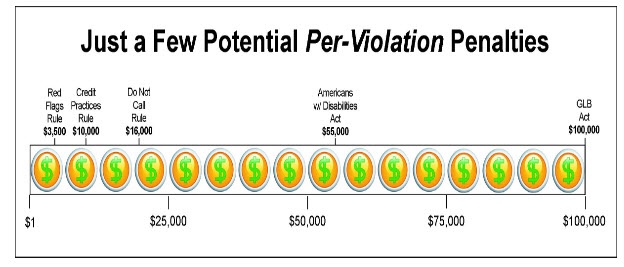
Read the following article from Automotive Dealership Weekly  -  a document left on a printer or fax machine could cost the company up to $100,000!

Graham leach act auto.jpg

Contact Us

If you are in need of maintenance, toner, recycling boxes, or just want to send us a question or suggestion, please use the form attached. Or feel free to call us at 877-467-599 or 312-399-5299 on the weekends. We are here to help you!

We are standing by to assist United Shore employees with any questions!    877-467-5999. 

Weekend hours call 312-399-5299