

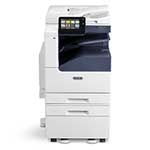
Select Machine

Overview
Green Office Partner
Number: 312-523-6785
Email: service@greenofficepartner.com
Site: https://www.greenofficepartner.com/support
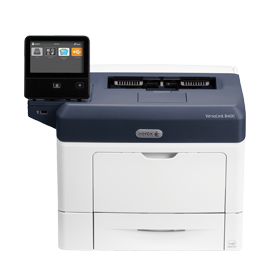
Overview:
Paper Trays and Programs:
Service Workflow:
Service Workflows:
Printing:
Optional:
Maintenance:
Help and Information:
Thank You:
Green Office Partner
Number: 312-523-6785
Email: service@greenofficepartner.com
Site: https://www.greenofficepartner.com/support
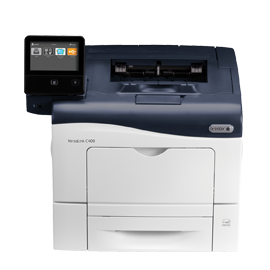
Overview:
Paper Trays and Programs:
Service Workflow:
Service Workflows:
Printing:
Optional:
Maintenance:
Help and Information:
Thank You:
Green Office Partner
Number: 312-523-6785
Email: service@greenofficepartner.com
Site: https://www.greenofficepartner.com/support
Green Office Partner
Number: 312-523-6785
Email: service@greenofficepartner.com
Site: https://www.greenofficepartner.com/support
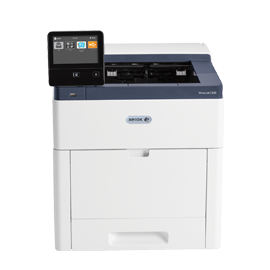
Overview
Green Office Partner
Number: 312-523-6785
Email: service@greenofficepartner.com
Site: https://www.greenofficepartner.com/support
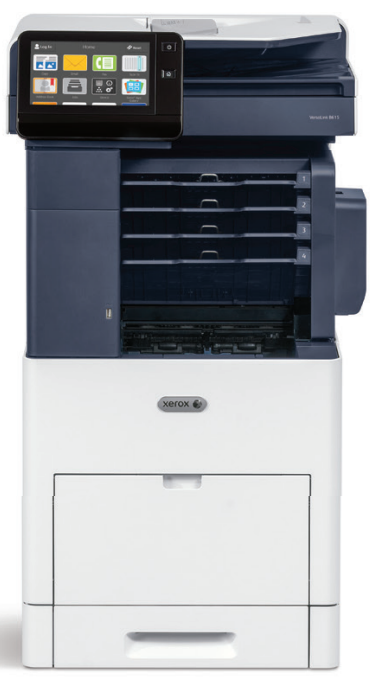
Overview
Green Office Partner
Number: 312-523-6785
Email: service@greenofficepartner.com
Site: https://www.greenofficepartner.com/support
Overview
Green Office Partner
Number: 312-523-6785
Email: service@greenofficepartner.com
Site: https://www.greenofficepartner.com/support
Green Office Partner
Number: 312-523-6785
Email: service@greenofficepartner.com
Site: https://www.greenofficepartner.com/support
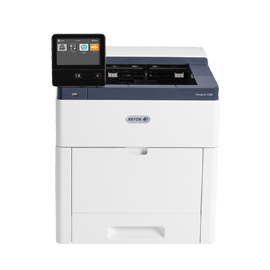
Overview:
Paper Trays:
Apps:
Printing:
Scanning:
Maintenance:
Thank you:
Green Office Partner
Number: 312-523-6785
Email: service@greenofficepartner.com
Site: https://www.greenofficepartner.com/support
Green Office Partner
Number: 312-523-6785
Email: service@greenofficepartner.com
Site: https://www.greenofficepartner.com/support
Overview:
Paper Trays:
Printing:
Apps:
Maintenance:
Paper Clearance:
Help and Support:
Thank you:
Green Office Partner
Number: 312-523-6785
Email: service@greenofficepartner.com
Site: https://www.greenofficepartner.com/support
Overview:
Programming and Paper Trays:
Print Driver:
Features:
General Care:
Thank You:
Green Office Partner
Number: 312-523-6785
Email: service@greenofficepartner.com
Site: https://www.greenofficepartner.com/support
Overview
Green Office Partner
Number: 312-523-6785
Email: service@greenofficepartner.com
Site: https://www.greenofficepartner.com/support
Green Office Partner
Number: 312-523-6785
Email: service@greenofficepartner.com
Site: https://www.greenofficepartner.com/support
Green Office Partner
Number: 312-523-6785
Email: service@greenofficepartner.com
Site: https://www.greenofficepartner.com/support
Introduction:
Overview:
Control Panel:
Paper Trays:
Services-Icons:
Print:
Maintenance - Clearance:
More Information:
Green Office Partner
Number: 312-523-6785
Email: service@greenofficepartner.com
Site: https://www.greenofficepartner.com/support
Green Office Partner
Number: 312-523-6785
Email: service@greenofficepartner.com
Site: https://www.greenofficepartner.com/support
Green Office Partner
Number: 312-523-6785
Email: service@greenofficepartner.com
Site: https://www.greenofficepartner.com/support
Green Office Partner
Number: 312-523-6785
Email: service@greenofficepartner.com
Site: https://www.greenofficepartner.com/support
Introduction:
Features:
Overview:
Paper Trays:
Overview:
Paper Trays:
Services:
Paper Path Clearance:
Maintenance:
More Information:
Thank you:
Green Office Partner
Number: 312-523-6785
Email: service@greenofficepartner.com
Site: https://www.greenofficepartner.com/support
Overview
Green Office Partner
Number: 312-523-6785
Email: service@greenofficepartner.com
Site: https://www.greenofficepartner.com/support
Green Office Partner
Number: 312-523-6785
Email: service@greenofficepartner.com
Site: https://www.greenofficepartner.com/support
Green Office Partner
Number: 312-523-6785
Email: service@greenofficepartner.com
Site: https://www.greenofficepartner.com/support
Green Office Partner
Number: 312-523-6785
Email: service@greenofficepartner.com
Site: https://www.greenofficepartner.com/support
Green Office Partner
Number: 312-523-6785
Email: service@greenofficepartner.com
Site: https://www.greenofficepartner.com/support
Green Office Partner
Number: 312-523-6785
Email: service@greenofficepartner.com
Site: https://www.greenofficepartner.com/support
Green Office Partner
Number: 312-523-6785
Email: service@greenofficepartner.com
Site: https://www.greenofficepartner.com/support
Green Office Partner
Number: 312-523-6785
Email: service@greenofficepartner.com
Site: https://www.greenofficepartner.com/support
-1.png?width=300&height=300&name=thumbnail1-300x300%20(1)-1.png)
Green Office Partner
Number: 312-523-6785
Email: service@greenofficepartner.com
Site: https://www.greenofficepartner.com/support
Apps :
Overview:
Paper Trays:
Printing:
Apps:
Maintenance:
Paper Clearance:
Help and Support:
Thank you:
Green Office Partner
Number: 312-523-6785
Email: service@greenofficepartner.com
Site: https://www.greenofficepartner.com/support
Overview:
Paper Trays:
Printing:
Apps:
Maintenance:
Paper Clearance:
Help and Support:
Thank you:
Green Office Partner
Number: 312-523-6785
Email: service@greenofficepartner.com
Site: https://www.greenofficepartner.com/support
Green Office Partner
Number: 312-523-6785
Email: service@greenofficepartner.com
Site: https://www.greenofficepartner.com/support